How to Buy a Used LED or Smart TV in Gujarat
Buying a used LED or Smart TV in Gujarat? Check screen, Wi-Fi, HDMI, sound, remote, accessories and seller details before paying.

Hetvi Patel
Content Writer
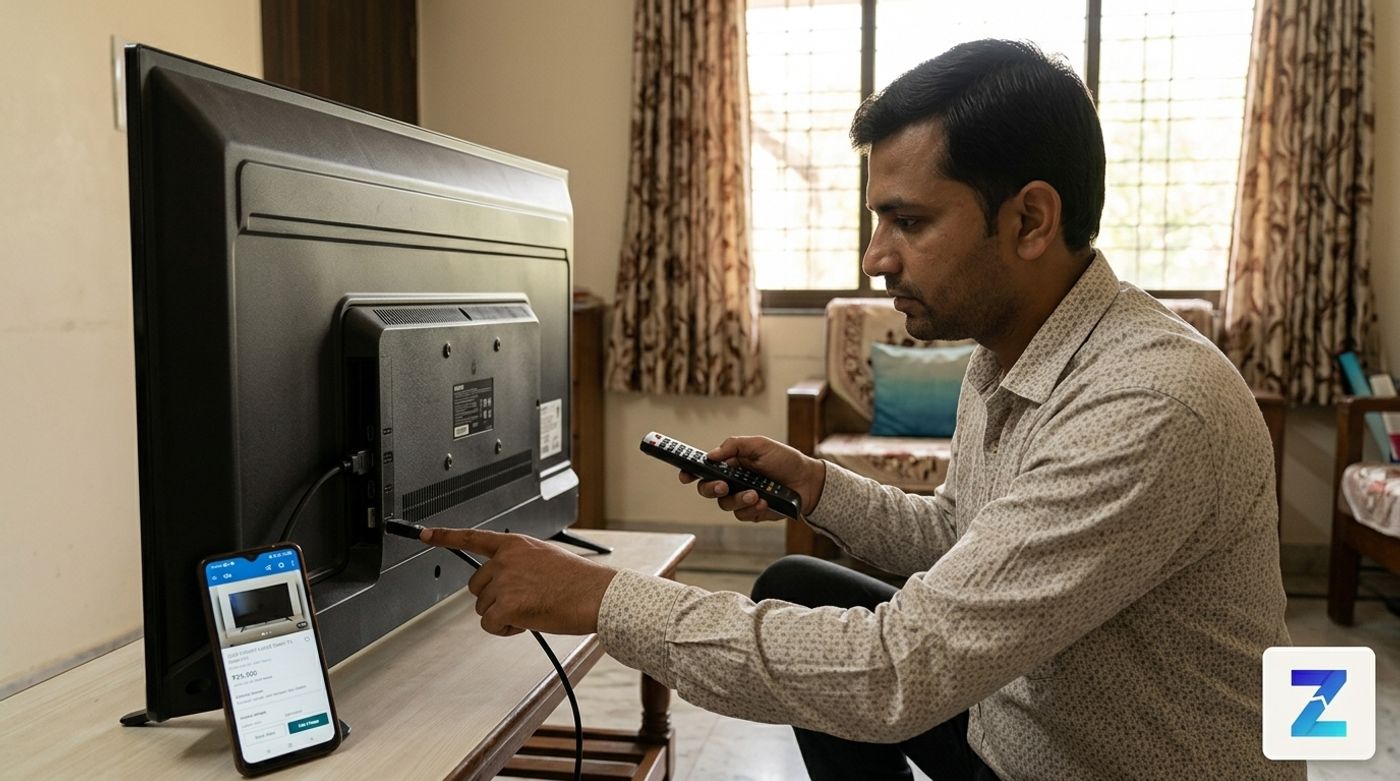
Before buying a used LED, LCD, Android or Smart TV in Gujarat, inspect the screen, Wi-Fi, apps, HDMI and USB ports, speakers, remote, stand or wall mount, bill and repair history. Test the TV in person and avoid advance payment before inspection.
Quick answer#
Buying a used LED, LCD, Android TV, or Smart TV in Gujarat can be a smart way to save money — but only if you check it properly before paying.
Try to inspect the TV in person. Test the screen with plain colour images, connect Wi‑Fi, open YouTube or apps, plug something into every HDMI and USB port, listen to the speakers at a higher volume, check the remote, and ask clearly if the TV has ever been repaired.
Most importantly: do not send advance payment before inspection.
You can browse and compare local listings on Used TVs in Gujarat on Zutilo. If you are comparing related electronics, also check used electronics in Gujarat.
Used TV buyer inspection checklist#
Before you visit a seller, carry a few simple things if possible:
- A pen drive with a short video and plain colour images
- Your phone with mobile hotspot
- An HDMI device such as a laptop, set-top box or streaming stick
- Enough time to test the TV properly
Do not rush. Many bad used-TV purchases happen because the buyer only checks whether the TV turns on, watches it for one minute and pays immediately.
1. Check the screen first#
The display panel is usually the most expensive part of a TV. If the panel is damaged, repair can be costly and sometimes not worth it.
Ask the seller to keep the TV switched on for a few minutes. Some problems appear only after the TV warms up.
Test the screen with:
- Solid white screen
- Solid black screen
- Red, green and blue screens
- Normal video playback
- Bright scenes
- Dark scenes
You can carry these test images on a USB drive. If it is a Smart TV, open YouTube and search for a screen test or dead pixel test.
Look carefully for black dots, stuck pixels, horizontal or vertical lines, dark patches, cloudy areas, flickering, uneven brightness, colour patches and burn-in marks. If you notice display damage, slow down. A TV with panel issues should be priced very differently, and it is still a risky buy.
2. Test Wi-Fi and Smart TV features#
If the seller calls it a Smart TV or Android TV, do not just look at the home screen.
Connect the TV to your mobile hotspot or the seller's Wi-Fi. Open YouTube or another streaming app and play a video for a few minutes.
Check whether Wi-Fi connects smoothly, apps open properly, video plays without freezing, the TV does not restart, menus are not extremely slow, and the remote works properly inside apps.
Older Smart TVs can become slow. That does not always mean you should reject the TV. If the screen is good, you may still use a streaming stick later. But do not pay extra for Smart TV features unless they actually work during testing.
3. Test every HDMI and USB port#
Ports are easy to forget, but they matter every day. You may need HDMI for a set-top box, gaming console, laptop, streaming stick or soundbar.
Test each HDMI port one by one. Also check the USB port with your pen drive, audio output if you use external speakers, HDMI ARC if you use a soundbar, and AV input if you still need older cable connections.
While testing, gently move the cable near the port. If the picture or sound cuts in and out, the port may be loose.
4. Listen to the speakers properly#
Do not test the TV only at low volume. Increase the volume to around 70 percent. Play normal dialogue, music and a louder video.
Listen for buzzing, crackling, rattling, distorted voice, weak speaker output or unclear dialogue. If you already plan to use a soundbar, speaker weakness may not be a deal breaker, but it should still affect your offer.
5. Check the remote and TV buttons#
Ask whether the original remote is included. A duplicate remote may control basic functions but fail on app buttons, voice control or settings.
Test power, volume, channel, home, back, navigation, app buttons, voice button if available, and settings. Also check the physical buttons on the TV body in case the remote stops working later.
If the remote is missing, include replacement cost and missing smart features in your decision.
6. Confirm stand, wall mount and accessories#
Many used TVs are already wall-mounted. Before finalising, ask what exactly is included.
Confirm the table stand, wall mount bracket, power cable, remote, original box, bill, screws and fitting parts. A TV without a stand can still be useful, but if you want to keep it on furniture, you may need to buy a compatible stand separately.
Questions to ask the seller before visiting#
Ask these questions in Zutilo chat before travelling:
- Why are you selling the TV?
- Has the TV ever been repaired?
- Is there any display problem, line, patch or flicker?
- Does Wi-Fi work properly?
- Are all HDMI and USB ports working?
- Is the original remote included?
- Do you have the bill, box, stand or wall mount?
- Can I test the TV before payment?
If the seller avoids repair-history questions or does not allow proper testing, it is better to avoid the deal.
How to compare used TV listings on Zutilo#
When you browse used TVs on Zutilo, do not compare only by screen size.
A cheap 55-inch TV with a panel issue may be worse than a clean 43-inch TV. Bigger is not always better.
Compare brand and model, screen size, TV type, display condition, age, repair history, included accessories, seller location, photo quality and whether faults are mentioned clearly.
For local context, you can also compare city pages like used TVs in Ahmedabad. If a listing is only one blurry photo, ask for more photos before visiting.
Safety and payment tips for used TV buyers#
Zutilo helps buyers and sellers connect locally, but safe buying depends on your checks too. Read the Zutilo safety guide before meeting or paying.
Never send advance payment before inspection. Avoid booking amounts, fake urgency and sellers who refuse testing.
Because TVs are large items, inspection may happen at the seller's home or shop. If you are visiting a private place, take a friend or family member with you. Keep the deal simple: test first, confirm accessories, then pay only after you are satisfied.
When to skip a used TV listing#
Skip or slow down if the seller asks for advance payment, refuses testing, shares unclear photos, avoids questions about panel repair, gives a model number that does not match the TV sticker, or says there is no issue but you can clearly see lines, flicker or panel damage.
A used TV deal should feel clear and testable. If the seller is genuine, they should normally allow basic inspection before payment.
Looking to sell something?
Post your free ad in 30 seconds and connect with buyers across Gujarat.
Browse Used TVs on ZutiloExplore on Zutilo
Quick shortcutsFrequently Asked Questions
4 Items1Is it safe to buy a used Smart TV in Gujarat?
Yes, if you inspect it properly before payment. Test the screen, Wi‑Fi, HDMI ports, USB ports, speakers, remote and accessories, and avoid advance payment.
2What is the most important thing to check in a used TV?
Check the screen first. A damaged display panel can be expensive to repair, so look for dead pixels, lines, flickering, dark patches, colour issues and burn-in.
3Should I buy a used Smart TV or a normal LED TV with a streaming stick?
If the screen is good but the smart software is slow, a normal LED TV with a streaming stick can be a practical option. Do not pay extra for smart features unless they work during testing.
4Should I buy a used TV without a bill?
A bill is useful for ownership and age, but many old TVs may not have one. If there is no bill, verify the model sticker, seller details, accessories and condition more carefully.