Sell Old Electronics Online: Tests, Accounts and Handover
A power light is only one check. Give each device a clear condition note, list its parts and deal with personal data before handover.

Content Writer
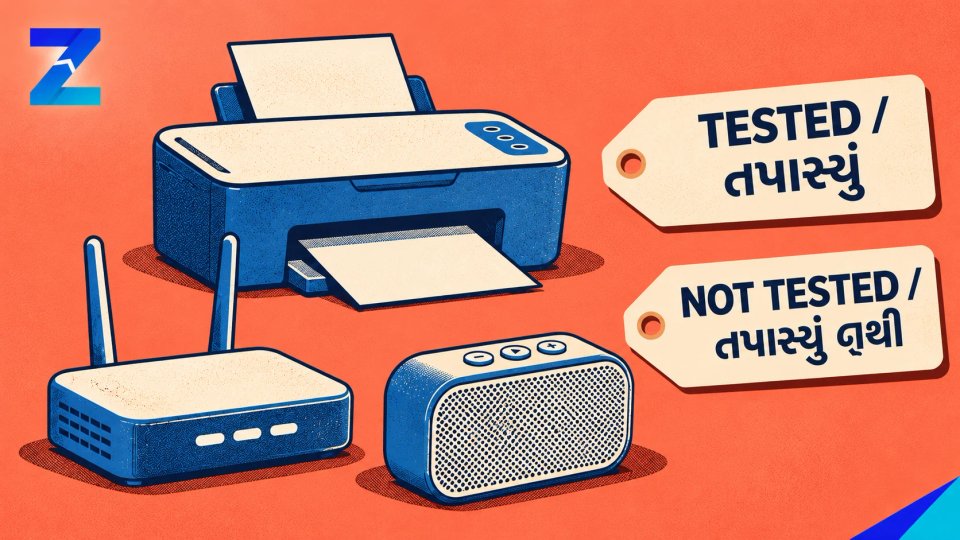
To sell old electronics, identify each model and its included parts, then describe the functions you actually tested. Back up needed files, remove personal storage and follow model-specific account and reset instructions. Keep untested functions clear and resolve data or owner-lock problems before handover.
An old printer, spare router and Bluetooth speaker may all be in the same cupboard, but “all working” tells a buyer very little. Before selling old electronics locally in Gujarat, give each device its own short condition note. Say what you tried, what happened and what you could not check. Then plan how to remove your accounts and personal data before it leaves your hands.
Start with the exact device and everything you will give#
Photograph the model label and copy the full model number. Include the version where it affects compatibility. A router's hardware version or a printer's exact model can matter when somebody looks for support, cartridges or replacement parts. Keep serial numbers and documents available for a genuine inspection without publishing personal details or account information.
Lay out the power adapter, cable, remote, stand and other included parts beside the right device. State if an adapter is a replacement or missing. Use only a power supply confirmed suitable for that model; finding a plug that fits is not enough. You should also have the right to sell it. Ask your internet provider about a router or connection box supplied under a return arrangement before offering it.
For several devices, use a separate note for each, even if you prefer a single buyer. “Printer A, USB print checked, Wi-Fi not checked” is more useful than one condition claim for the whole pile.
Describe the functions you actually tested#
Power-on is one observation. It does not show that a device does everything a buyer needs. Follow the model's instructions for ordinary checks and write the date. Leave damaged wiring, swollen batteries, overheating or other safety concerns for appropriate service advice rather than switching the item on for a sale.
For a printer, a recent print from that machine helps show the output you saw. Use a harmless sample document. Say whether you printed through USB, Wi-Fi or another connection; check scanning separately if it is a multifunction model. Show streaks, missing colours, paper-feed trouble or error messages. Be clear about included ink or toner and any unknown remaining quantity. A page printed months ago should not be presented as today's test.
For a router, say whether you only saw the power light or also used its Wi-Fi and internet connection with your own setup. Those observations do not establish compatibility with the buyer's provider or home. For a speaker, describe the connection you tried, playback, buttons and charging. Only report battery runtime if you actually observed it under stated use; don't turn an old specification into a current result.
A clear note might read: “Printer powers on and printed this sample by USB today. Scanner and Wi-Fi not checked. Power cable included, USB cable excluded.” Use your own facts. An untested function can stay untested in the ad.
Keep the detailed checks with the right device guide#
A phone, television and computer each need a different handover. Use the mobile-phone seller guide for phone preparation, the TV seller guide for screen photos and accounts, or the laptop and desktop guide for computer preparation. When selling mixed electronics, the important extra step is keeping each device's condition, contents and data plan separate.
Back up, unlink and reset before handover#
First save the files you need and open a few from the backup to check it. Consider every storage location: internal drives, memory cards, USB storage and any saved documents or address books the model holds. Remove SIMs and removable storage that are not part of the sale. Agree a privacy-safe demonstration before erasing anything, using a sample file or temporary setup where appropriate.
Then follow the manufacturer's current instructions for that exact model to remove your accounts, disconnect cloud services and erase or reset it appropriately. A reset and removal from a linked app or cloud account can be separate steps. Check smart speakers, routers and connected accessories as well as phones and computers. Do not give the buyer your Wi-Fi password, cloud login or personal network backup to make setup easier.
Afterwards, confirm that it reaches the appropriate fresh setup state without requiring your private account. Resolve an owner lock or workplace-management restriction through the legitimate owner before sale. Simply deleting visible files is not an assurance that stored information is gone. If a device will not start and you cannot deal with its data confidently, pause the handover and get suitable advice about the storage. Calling it “for parts” does not remove the privacy issue.
Price the actual offer and agree the visit#
Compare current electronics listings by exact model, tested functions, faults and included parts. A complete tested unit and an untested device without its adapter are different offers. Use the pricing guide to compare asking prices. For a bundle, give the total price, whether individual items are available and what remains after any sale.
Post your electronics on Zutilo with those details, your photos and pickup area. Free posting is available within the current category allowance. Agree any remaining inspection, a suitable power connection and the exact items before meeting. Confirm payment in your own account before handing them over, follow the safety guidance and update the ad when an item sells.
Looking to sell something?
Reach local buyers with clear photos, condition, price and location. Free posting is available within category allowances; any applicable charge appears during posting.
List your old electronicsBrowse related listings
Quick shortcutsFrequently Asked Questions
4 questionsDescribe what you actually checked. Power-on does not establish printing, network connections, audio, charging or other functions. Say which functions remain untested.
Give each device a separate model, condition and parts note. State the bundle price, whether you will sell individually and which items remain available.
That depends on the model and service. Follow its instructions for account removal, cloud unlinking and the appropriate reset; these can be separate steps.
Pause handover until you have dealt with the storage appropriately. Get suitable advice if you cannot access or erase the data confidently. Selling for parts does not remove the privacy concern.