Best Second-Hand Mobile Phones to Buy in 2026: Used Phone Checklist
Compare second-hand mobile phones in 2026 with IMEI, battery, display, bill, repair, price and safe local handover checks.

Hetvi Patel
Content Writer
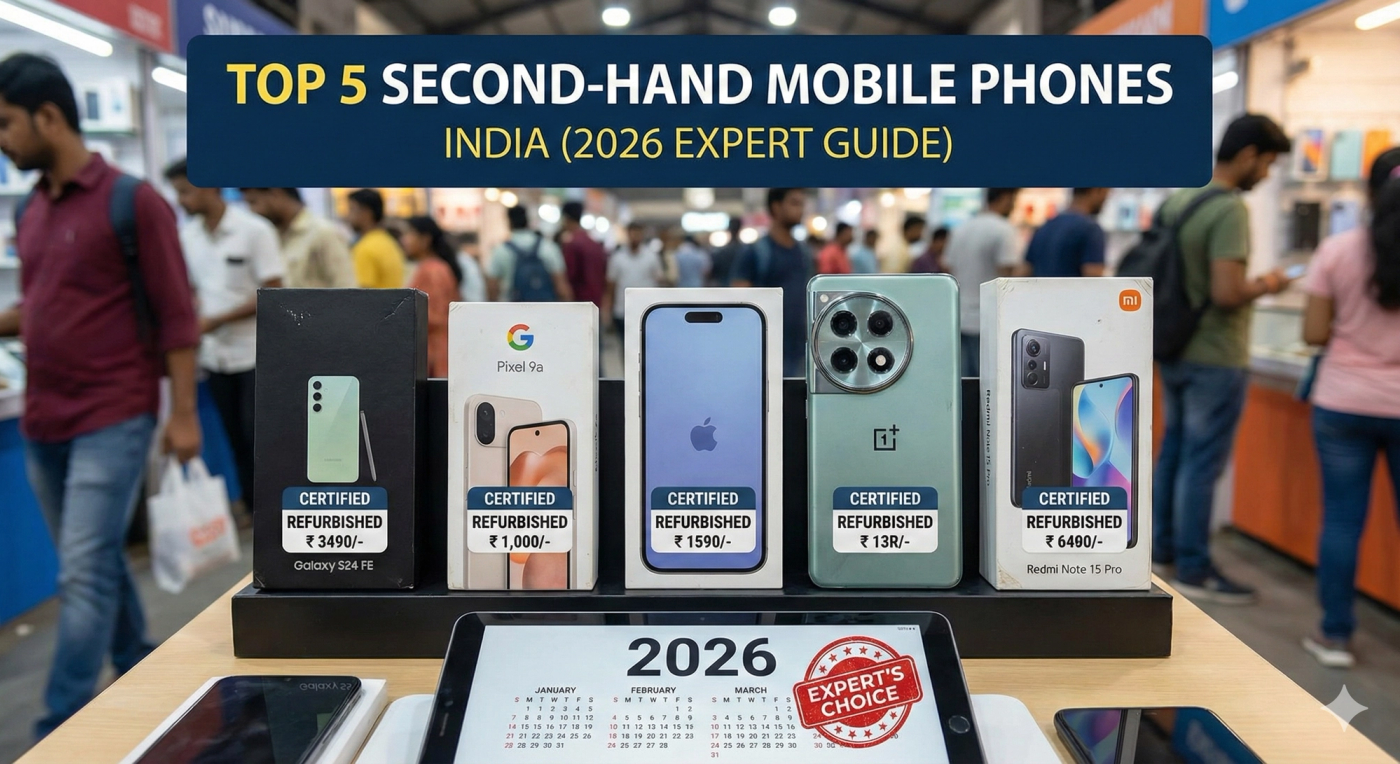
The best second-hand mobile phone to buy in 2026 is one with a clean IMEI, removed account locks, healthy battery, working display, clear bill or ownership story, fair price and no hidden repair history. Shortlist iPhone, Samsung, Pixel, OnePlus/Nord and clean budget Android phones, then inspect before paying.
A second-hand phone can be a good buy in 2026, but only when the condition is clear. The model name matters, but battery health, IMEI, display, repair history, bill, storage and account-lock status decide whether the deal is actually safe.
Use this page as a practical inspection guide. For live inventory and prices, compare current mobile phone listings on Zutilo instead of treating any blog shortlist as fixed stock.
Quick answer: best used phone types to shortlist in 2026#
The safest used-phone shortlist is usually recent iPhones with good battery health, Samsung Galaxy S or FE models with clean displays, Google Pixel phones for camera-focused buyers, OnePlus and Nord models for performance, and practical Vivo, Oppo, Realme, Redmi or Xiaomi phones when bill, storage and repair history are clear.
| Buyer need | Used phone type to compare | What to check first |
|---|---|---|
| Premium camera and resale value | Recent iPhone models | Battery health, Face ID, bill, iCloud removed |
| Android flagship feel | Samsung Galaxy S, FE or strong A-series | Display lines, charging, camera, warranty |
| Camera and clean Android | Google Pixel models | Heating, battery backup, service history |
| Speed and fast charging | OnePlus flagship or Nord models | Charging port, display, battery and updates |
| Budget everyday use | Vivo, Oppo, Realme, Redmi, Xiaomi, Motorola | Storage, RAM, bill, battery and repairs |
Why this blog should not replace live listings#
Used phone availability changes every day. Zutilo already has strong mobile-phone inventory across Gujarat, with many listings from local places like Rajkot City, Ahmedabad City, Keshod, Porbandar, Dwarka and nearby talukas. That is why this article should help you inspect a phone, while the live Zutilo mobile listings page should handle actual buying and price comparison.
Start broad with all mobile phones in Gujarat. If you want a local market first, compare mobile phones in Rajkot and then widen your search only when the right model or price is not available nearby.
Used phone price bands to compare#
Do not judge a used phone only from the asking price. Compare model, age, storage, condition, bill, warranty, accessories and repair history. These broad bands are only a starting point for negotiation.
| Budget band | What usually fits | Buyer caution |
|---|---|---|
| Under Rs 5,000 | Older Android, basic 4G phone, keypad phone | Check battery, speaker, charging and network carefully |
| Rs 5,000 to Rs 10,000 | Older mid-range Android, 4GB/64GB type phones | Avoid damaged displays and unclear repair history |
| Rs 10,000 to Rs 18,000 | 5G Android, 6GB/128GB or 8GB/128GB options | Compare new-phone price before paying too high |
| Rs 18,000 to Rs 40,000 | Older flagship Android or used iPhone | Battery health, bill, display and original parts matter most |
| Above Rs 40,000 | Recent iPhone or premium flagship | Meet only after full IMEI, account-lock and bill verification |
IMEI and ownership checks#
- Dial *#06# and match the IMEI with phone settings, bill and box if available.
- Ask for the original bill or a clear ownership explanation before paying.
- Check that iCloud, Apple ID, Google account and screen lock are removed in front of you.
- Avoid phones where the seller refuses basic identity comfort, bill status or IMEI check.
Battery and charging checks#
Battery is where many used phone deals go wrong. For iPhone, check battery health from settings. For Android, observe battery drain, heating, charging speed and whether the phone restarts unexpectedly.
- Carry a charger or cable and test the port for loose connection.
- Ask whether the battery was replaced and whether the replacement is original or local.
- If battery health is weak, reduce the price because replacement cost will come later.
Display, camera and network checks#
- Open a white screen and a dark screen to catch green lines, black spots and display patches.
- Type a message to test touch response and ghost touch.
- Record a short video, take front and rear photos, and test focus.
- Insert your SIM and test calling, mobile data, Wi-Fi, Bluetooth, hotspot and speaker.
Repair history and condition questions#
A repaired phone is not automatically bad, but the price should match the risk. Ask directly whether display, battery, motherboard, camera, back glass or charging port was replaced.
Look for dents, bent frame, water damage marks, loose buttons, screen lifting, overheating and inconsistent charging. If the seller says “no issue” but avoids testing, skip the deal.
When a cheaper phone is not a better deal#
- No bill, no box and no clear ownership story.
- Account lock is still active or the seller says it will be removed later.
- Display is changed but price is still close to an original-condition phone.
- Battery backup is weak but the seller does not reduce price.
- The phone is too close to new-phone price after adding repair risk.
Seller note: how to make your old phone easier to trust#
If you are selling instead of buying, use the same checklist in reverse. Mention exact model, RAM, storage, bill, box, battery health, repair history, accessories and local pickup area. Clear details bring better buyers and reduce repeated questions.
For seller-side help, read where to sell old mobile phones and the Zutilo selling guide.
Safe local handover#
Meet in a public place, test the phone calmly, verify payment and only then complete handover. Avoid advance payments, courier-only pressure and sellers who do not allow normal inspection. Review Zutilo safety guidelines before high-value deals.
Looking to sell something?
Post your free ad in 30 seconds and connect with buyers across Gujarat.
Browse Used Mobile PhonesLatest Mobile Phones ads on Zutilo
Browse verified listings from local sellers in your area.



Explore on Zutilo
Quick shortcutsFrequently Asked Questions
8 Items1Which used mobile phones are good to buy in 2026?
Recent iPhones, Samsung Galaxy S or FE models, Google Pixel phones, OnePlus/Nord phones and clean Vivo, Oppo, Realme, Redmi, Xiaomi or Motorola phones can be good if battery, IMEI, bill, display and repair history are clear.
2What should I check before buying a second hand phone?
Check IMEI, bill, ownership comfort, account lock, battery health, display, cameras, speaker, microphone, charging port, SIM network, Wi-Fi, repair history and accessories.
3Is it safe to buy a used phone from a local seller?
It can be safe when you meet publicly, inspect the phone fully, verify account lock and ownership comfort, and pay only after testing. Avoid advance payments and courier-only pressure.
4How do I check IMEI before buying a used phone?
Dial *#06# on the phone and compare the IMEI with settings, bill and box if available. Avoid the deal if the seller refuses basic IMEI verification.
5What battery health is good for a used iPhone?
Higher battery health is better. If battery health is weak or the phone drains quickly, negotiate a lower price because battery replacement cost may come later.
6Should I buy a repaired used phone?
Only if the repair is disclosed, important parts work properly and the price reflects the risk. Be extra careful with changed display, battery, camera, motherboard or charging port.
7Where should I compare live used mobile prices?
Use current marketplace listings such as Zutilo mobile phone pages. Blog shortlists are useful for inspection, but live listings show real local availability and pricing.
8How can I sell my old phone with better trust?
Mention exact model, RAM, storage, bill, box, battery health, accessories, repair history and local pickup area. Add clear front, back, side and screen-on photos.